November 4, 2026
Most organizations don’t set out to build complicated workflows. They accumulate them.
A spreadsheet gets added to track something the main system can’t. An approval starts happening over email. One department uses a different platform than another, so someone has to move information between the two. Before long, a process that should be relatively straightforward depends on a mix of software, manual steps, and institutional knowledge just to keep moving.
Sometimes that complexity is part of the work. Organizations with specialized programs, reporting requirements, compliance obligations, or multiple stakeholders may genuinely have a lot for their software to account for.
The problem is when the tools add complexity on top of it.
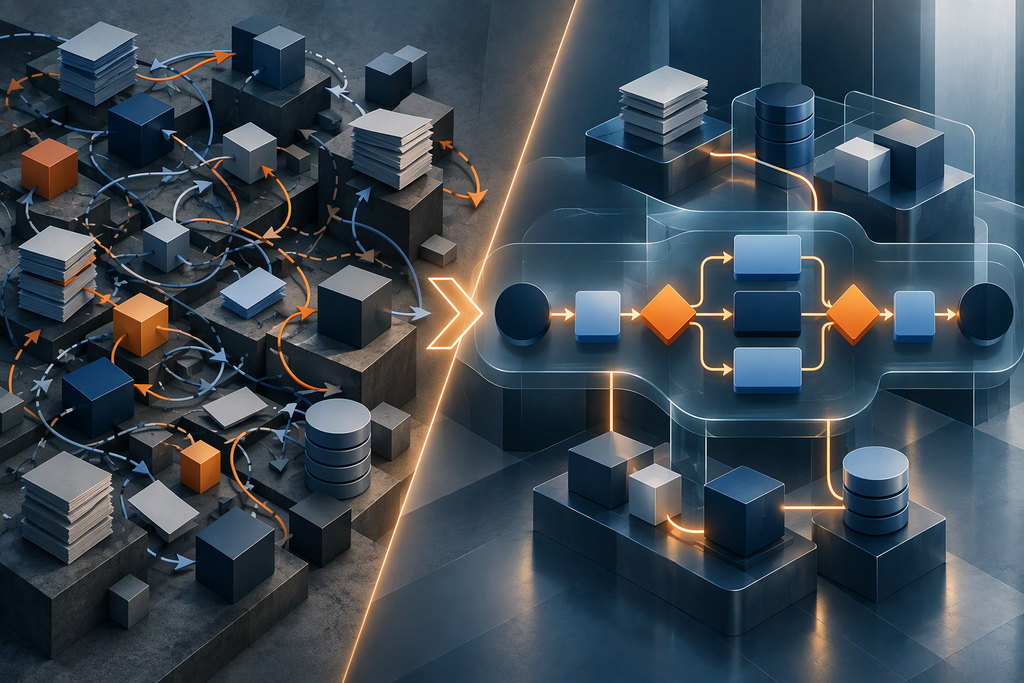
Custom software can help streamline complex workflows by connecting systems, automating repetitive steps, centralizing information, and building important business rules directly into the process.
Key Takeaways
- Complex workflows often reveal themselves through duplicate data entry, manual handoffs, disconnected systems, reporting bottlenecks, and workarounds employees have created to keep processes moving.
- Custom software can bring related processes, systems, and data together around the way an organization actually operates.
- Streamlining isn’t just about automation. Better visibility, fewer errors, more consistent processes, and easier reporting can be just as valuable.
- Custom development makes the most sense when important business rules, integrations, compliance requirements, or edge cases can’t be handled well by existing software.
- Before deciding what to build, understand which parts of the workflow are necessary and which parts exist because of limitations in your current tools.
What Makes a Business Workflow “Complex”?
A workflow doesn’t become complex simply because it has a lot of steps.
Some processes need to account for multiple departments, different user permissions, conditional approvals, unusual business rules, regulatory and compliance requirements, external systems, large amounts of data, or exceptions that don’t fit neatly into the standard process.
AVIBE has seen this firsthand with an organization that manages complex international programs. Its work involves coordinating budgets, transportation, vendors, supporting documentation, reporting requirements, and program activities through closeout. Those requirements aren’t unnecessary complexities. They’re part of running the programs.
The opportunity was to make that complexity easier to manage. We helped shape the organization’s software around the actual program lifecycle, bringing program information, supporting documents, vendor details, and process guidance into a more connected workflow. Instead of expecting employees to keep track of every step across separate systems and documents, more of the process now lives within the system itself.
A useful way to think about workflow complexity is to distinguish between what’s necessary and what’s accidental.
Necessary complexity comes from the work itself: required approvals, regulatory obligations, specialized business rules, and legitimate exceptions.
Accidental complexity comes from the limitations of existing technology: duplicate data entry, disconnected systems, manual handoffs, and spreadsheets used to fill gaps in software.
Good software doesn’t eliminate the complexity an organization needs to manage. It reduces the unnecessary work created by the technology supporting it.

Signs Your Current Software Is Making Work Harder
Inefficient workflows aren’t always obvious. When people have worked around the same limitations for years, extra steps can start to feel like part of the job.
But there are some common signs that the technology itself is contributing to the workload.
Your Team Enters the Same Information More Than Once
One system needs the customer information. Another needs the project details. A spreadsheet tracks the status. Then someone needs the same information again when it’s time to produce a report.
Duplicate data entry takes time, but it also creates more opportunities for mismatched or outdated information. When systems can share data automatically, employees don’t have to become the integration between them.
Spreadsheets Are Holding Important Processes Together
One warning sign is when a spreadsheet starts doing a job it wasn’t really built to do: serving as the system of record, tracking a complicated approval process, managing access to sensitive information, or acting as the only place employees can see what’s happening.
At that point, the organization may be asking a general-purpose tool to carry a business-critical process.
Employees Have Built Workarounds For the Software
Maybe employees maintain their own tracking documents because the system doesn’t show them what they need. Maybe there’s an unofficial set of steps experienced employees know to follow because the documented process doesn’t quite work.
Those workarounds are useful information.
They show you where employees have adapted the process to fill gaps in the software and, potentially, where better software could support the work instead.
Reporting Requires More Assembly Than Analysis
Reporting gets expensive when producing the report is most of the work.
If someone has to export data from multiple systems, reconcile conflicting information, clean spreadsheets, and rebuild the same calculations every month or quarter, the problem isn’t just inconvenient reporting. It’s that the underlying information isn’t structured or connected in a way that makes it easy to use.
The opportunity may be to improve how data moves through the entire workflow, not simply build a better report at the end.
How Custom Software Can Streamline Complex Workflows
Custom software doesn’t make complicated operations disappear. What it can do is take more responsibility for coordinating them.
Instead of employees remembering how information moves, who needs to review something next, or which system needs to be updated, those rules can become part of the application itself.
Automate Repetitive Work
Software can route approvals, update statuses, generate documents, perform calculations, send notifications, create records, or trigger the next step in a process automatically.
The goal is to determine which parts of work actually require a person’s attention or judgment, not to try to automate every task a person performs.
Removing repetitive steps gives employees more time for the parts of the process where their knowledge is actually valuable.

Connect Systems and Data
Streamlining a workflow doesn’t necessarily require replacing every system involved.
An organization may already have accounting, CRM, document management, or other specialized applications that work perfectly well for their intended purposes. The friction comes from what happens between them.
Custom integrations can allow those systems to exchange information automatically. In other cases, a custom application can provide a central place for employees to work while coordinating data across multiple systems behind the scenes.
That can reduce duplicate entry without forcing the organization to abandon tools that are already doing their jobs well.
Build Business Rules Into the Process
The more specialized a workflow becomes, the more likely it is to include rules that don’t fit neatly into standard software.
One request may require two approvals while another needs four. Different users may be allowed to see or change different information. Certain documentation may be required only under specific circumstances. An unusual case may need to be escalated rather than following the normal path.
Custom software can account for those rules directly instead of relying on employees to remember them every time.
Create One Place to See What’s Happening
When information is spread across inboxes, spreadsheets, and applications, employees and managers can struggle to understand where work stands.
A well-designed application can centralize status, ownership, history, and relevant information, making it easier to identify bottlenecks, track progress, and make informed decisions.
Make Compliance Part of the Workflow
For organizations with regulatory, contractual, or program requirements, compliance may add unavoidable complexity. Software can help make those requirements part of how the work gets done.
The right tool doesn’t make an organization compliant on its own. But it can make following an established compliance process much easier and more consistent than relying entirely on people to remember every requirement.
Where Should You Start When Streamlining a Complex Workflow?
Before deciding what to automate or what software to build, understand how the workflow actually operates today.
At AVIBE, we start by looking at how an organization’s people, processes, data, and systems work together. This helps us identify where technology creates friction and which changes are likely to have the greatest impact. The goal is to solve the underlying problem, not simply replace one set of limitations with another.
1. Map the Existing Workflow
Process documentation tells you what should happen. Employees can tell you what actually happens.
Follow the workflow from beginning to end. Note where information enters, how it moves between systems and people, who makes decisions, and what happens when something doesn’t go as planned.
Pay particular attention to exceptions. A system that works well for 80% of cases but makes the other 20% difficult to manage may not be supporting the workflow effectively.
2. Identify Friction and Understand Why It Exists
Look for places where employees repeatedly have to compensate for gaps in the process or technology. Common examples include:
- Duplicate data entry
- Manual handoffs
- Reconciling information between systems
- Waiting for approvals
- Repetitive calculations
- Rebuilding reports
- Searching for information
- Maintaining separate tracking tools
- Correcting avoidable errors
- Following up manually to keep work moving
Not every issue calls for new software, but these patterns can reveal where improvements would have the greatest impact.
It’s also tempting to eliminate steps from a complicated process without understanding why they’re there. Some exist for good reason. Knowing their purpose helps distinguish unnecessary work from essential controls.
3. Decide What to Automate, Integrate, Improve, or Replace
Once you understand the workflow, it’s easier to determine what kind of solution makes sense.
Some tasks may benefit from automation. Separate systems may simply need to exchange data. An existing application might need a targeted improvement. In other cases, the process itself may need to be redesigned before any software is built.
Starting with the workflow, not a predetermined technology solution, helps prevent organizations from rebuilding inefficient processes in a new interface.
Streamlining the Workflow Starts Before You Build Anything
Streamlining complex workflows starts with understanding what’s making the work difficult. Sometimes the answer is better automation or integration. Other times, it means improving existing applications, redesigning a process, or building custom software around requirements that off-the-shelf tools can’t accommodate.
The right approach is the one that reduces unnecessary work while supporting the way your organization needs to operate.
Not sure whether your workflow needs automation, integration, or a custom application? AVIBE can help assess your existing processes, identify operational bottlenecks, and determine which technology investments are likely to deliver the greatest business value.
Frequently Asked Questions
What is custom software?
Custom software is an application designed around an organization’s specific processes, users, business rules, data, and systems. Unlike off-the-shelf software, it can be built to accommodate requirements such as specialized approvals, unique integrations, permissions, reporting, compliance processes, and exceptions.
How can custom software improve operational efficiency?
Custom software can improve operational efficiency by reducing repetitive work, connecting disconnected systems, automating handoffs, centralizing information, and building business rules directly into a workflow. The result can be less time spent moving or reconciling information and more visibility into the work itself.
What business processes can be automated with custom software?
Custom software can automate tasks within processes such as approvals, reporting, data entry and synchronization, document generation, notifications, scheduling, compliance workflows, case or program management, inventory management, and customer or member onboarding. The best candidates are usually repetitive, rules-based tasks that don’t require human judgment every time.
Can custom software integrate with existing business systems?
Yes. Custom software can often integrate with existing systems through APIs and other integration methods, allowing information to move between applications automatically. This means streamlining a workflow doesn’t necessarily require replacing an organization’s entire technology stack.
Helpful Web Tips & Tricks
Start Your Project